
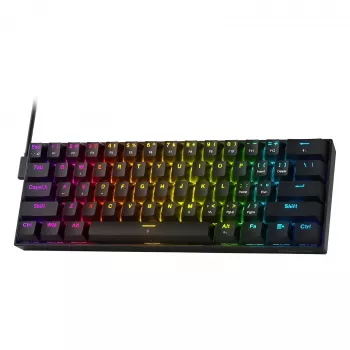
A rapid-trigger keyboard with magnetic switches is built for faster input changes, especially for movement-heavy games where quick press-and-release timing matters. This 60% layout keeps the desk footprint small while focusing on the keys used most often for competitive play. If quick strafes, clean counter-movement, and rapid taps are part of your routine, rapid trigger can make your inputs feel more immediate and easier to time.
Rapid trigger changes how a key “lets go.” Instead of waiting for a fixed reset point like many traditional switches, the keyboard activates and deactivates based on how far the key is pressed and released. That means the moment you start lifting your finger, the key can begin resetting—ready to re-trigger sooner.
In practice, this can reduce the “dead feeling” between taps when you’re making micro-adjustments—like feathering A/D to hold an angle, repeatedly peeking, or tapping movement keys to control recoil patterns. For a deeper explanation of the feature concept, see Wooting’s Rapid Trigger overview.
Magnetic (Hall-effect) switches don’t rely on a metal contact leaf closing a circuit at a single point. Instead, they sense position continuously through the key’s travel. That continuous sensing is what makes features like adjustable actuation and rapid trigger possible when the keyboard firmware supports them.
The physical feel still comes down to the switch’s spring weight, stem design, stabilizers, and the board’s mounting/plate—so “magnetic” doesn’t automatically mean “lighter” or “heavier.” For background on switch terminology and how different designs behave, RTINGS’ switch guide is a helpful reference.
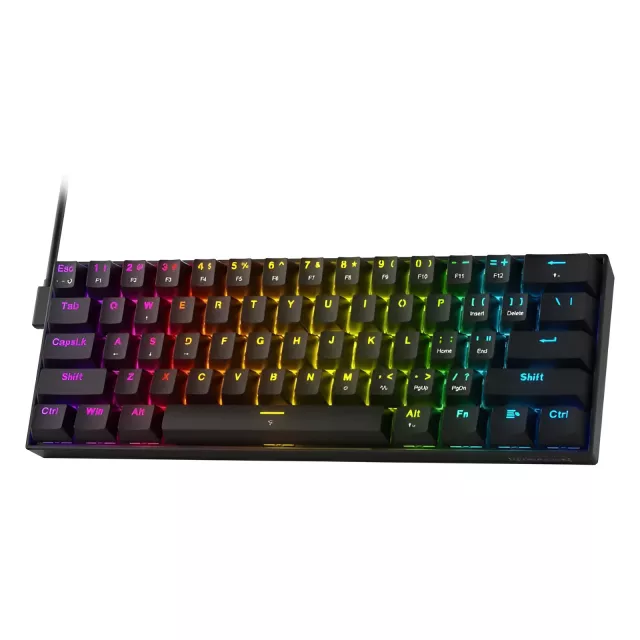
A 60% keyboard trims away the function row, navigation cluster, and dedicated arrow keys. The upside is a compact footprint and more room for mouse movement—especially useful for low-sensitivity aiming or smaller desks.
| Category | Benefit | Trade-off |
|---|---|---|
| Desk space | More room for mouse movement | Less room for dedicated keys |
| Portability | Easy to pack for travel/LAN | May need time to learn layers |
| Game focus | Centered on core movement keys | Extra binds can require Fn combinations |
| Workflow use | Cleaner, minimal setup | Arrows/Home/End become secondary functions |
Two keyboards can both claim “rapid trigger” and still behave differently. Before buying, it helps to confirm the details that affect real gameplay and day-to-day use.
For competitive titles, consistency matters as much as speed. A stable spacebar and predictable reset behavior can be the difference between clean movement and inputs that feel “mushy” or uneven under pressure.
Once the keyboard is on your desk, small setup choices can make rapid trigger easier to control and more reliable during long sessions.
| Item | Details |
|---|---|
| Product | Rapid-Trigger 60% Gaming Keyboard with Magnetic Switches |
| Price | $45.51 USD |
| Availability | In stock |
| Product page | View current listing |
Yes—rapid trigger can help in rhythm games and any scenario that involves fast, repeated taps where quick release timing matters. For general typing and casual play, it’s usually less noticeable than it is in movement-heavy games.
They can, depending on the switch design and the keyboard’s plate/case build. Magnetic sensing changes how actuation and reset are detected, but the physical feel still depends on the spring weight, travel, and stabilizers.
It can be at first, since arrows and function keys are usually accessed through an Fn layer. It’s easiest for users who mainly game or don’t rely heavily on dedicated navigation keys for daily work.









Leave a comment