Digital Literacy for Everyday Life: A Practical Guide to Safer, Smoother Tech Use
Digital literacy is less about memorizing tech terms and more about handling everyday tasks with confidence—sending clear messages, protecting personal data, spotting scams, managing accounts, and solving small problems without panic. The most useful approach is practical: build a few repeatable habits, keep a simple checklist, and rely on quick routines that make your online life safer and less stressful.
What Digital Literacy Looks Like Day to Day
In real life, digital literacy shows up in small moments—many of them repetitive—and that’s good news. Repetition is how confidence becomes automatic.
- Completing common tasks: logging in, updating apps, saving files, sharing photos, filling forms, and joining video calls without scrambling at the last second.
- Making smart choices: recognizing risky links, judging whether a source is trustworthy, and limiting what gets shared publicly.
- Using devices comfortably: adjusting settings, enabling accessibility tools, and understanding basic storage and permissions (what an app can access).
- Staying calm when something goes wrong: trying a short troubleshooting sequence before asking for help, so problems feel manageable instead of overwhelming.
Build Tech Confidence With a Repeatable Routine
Confidence usually comes from process, not talent. A simple routine reduces errors, prevents panic-clicking, and helps you learn without wasting hours.
Try the “Pause–Check–Act” habit
- Pause: stop for two seconds before tapping a link, downloading a file, or entering a password.
- Check: verify the sender, the URL, and whether the request makes sense for your situation.
- Act: proceed only when it’s consistent, expected, and low-risk.
Keep practice small and track what worked
- Practice one small skill per day (5–10 minutes): attach a file, rename a document, change a privacy setting, or create a folder structure that’s easy to remember.
- Keep a personal “how-to” note with steps that worked last time for Wi‑Fi fixes, printing, password resets, and video call setup.
- Use a safe testing space: try features using a secondary account or a non-critical file first.
- Know when to stop: if a message pressures urgency or asks for payment or gift cards, exit and verify using a trusted method.
A 10-minute weekly digital confidence plan
| Day |
Quick practice |
Outcome to check |
| Mon |
Update phone/PC and restart |
Updates complete; device feels faster/stable |
| Tue |
Review app permissions |
Only necessary permissions enabled |
| Wed |
Organize downloads folder |
Key files renamed and moved to a clear folder |
| Thu |
Password checkup |
Strong unique password set; recovery info updated |
| Fri |
Privacy scan on one social app |
Profile visibility and tagging settings confirmed |
| Sat |
Backup test |
One file successfully backed up/restored |
| Sun |
Scam-spotting practice |
Can explain why a sample message is suspicious |
Safe Internet Use: Protect Accounts, Devices, and Money
Online safety doesn’t require paranoia. It requires a few guardrails that block the most common attacks.
- Use unique passwords (especially for email, banking, and shopping). A password manager can help, or use a clear system that still keeps passwords different.
- Turn on multi-factor authentication (MFA) for email and financial accounts first. MFA adds a second check beyond your password.
- Learn scam red flags: urgency, unusual payment methods, mismatched URLs, unexpected attachments, or “verify now” threats.
- Keep software updated to close security gaps. Enable automatic updates when possible.
- Use secure connections: avoid sensitive logins on public Wi‑Fi unless you’re using a trusted VPN. If unsure, use cellular for banking.
- Limit personal data exposure: reduce location sharing and review what’s public on social profiles.
For additional guidance, these resources are worth bookmarking: FTC guidance on phishing, CISA’s “Secure Our World” tips, and NIST background on MFA.
Online Communication Etiquette That Prevents Misunderstandings
Clear, respectful communication is a digital skill that pays off immediately—fewer follow-ups, fewer mistakes, and less friction in group conversations.
- Match the channel to the message: quick updates via chat; complex issues via email; sensitive topics via a call.
- Write for clarity: short paragraphs, one request per message, and a clear subject line for emails.
- Use tone cues carefully: sarcasm rarely lands well in text; choose neutral wording when stressed.
- Respect response windows: consider time zones and working hours; avoid repeated pings unless urgent.
- Video call basics: test audio, mute when not speaking, and use headphones for privacy.
- Group chats: avoid oversharing, ask before adding people, and keep personal info out of large threads.
Digital Competence Checklist: Skills That Pay Off Fast
Using a Printable Guide to Keep Skills Consistent
Product Option: Digital Literacy for Everyday Life (PDF + Checklist)
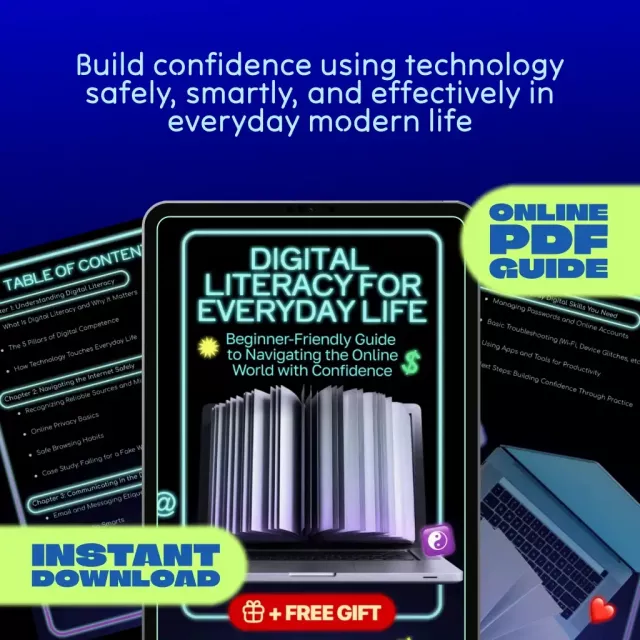
If a ready-made reference would help, Digital Literacy for Everyday Life (PDF + competence checklist) is designed around practical habits: safer internet use, online communication etiquette, and routines that build tech confidence without overload.
Other downloadable tools that pair well with a “checklist mindset” include the Healthy Meal Plan & Recipe Collection eBook for planning routines and the Bye-Bye Bottle! Toddler Bottle-Weaning Checklist for families who like step-by-step progress tracking.
FAQ
What are the most important digital literacy skills to learn first?
Start with account security (unique passwords and MFA), safe browsing/scam awareness, basic file management, and clear online communication. These reduce the biggest risks (account takeover and fraud) while cutting everyday frustration like lost files and confusing messages.
How can someone avoid online scams without becoming afraid to use the internet?
Use a simple rule: pause, verify independently, and never act under pressure. Stick to official apps/sites, type known URLs instead of clicking unexpected links, and enable account alerts so you’re informed quickly if something changes.
What does good online communication etiquette include for email and messaging apps?
Good etiquette means choosing the right channel, writing clearly (short sections and one request at a time), and managing tone so messages don’t sound harsher than intended. It also includes respecting response time expectations and switching to a call when an issue is sensitive or complex.
Recommended for you













Leave a comment