
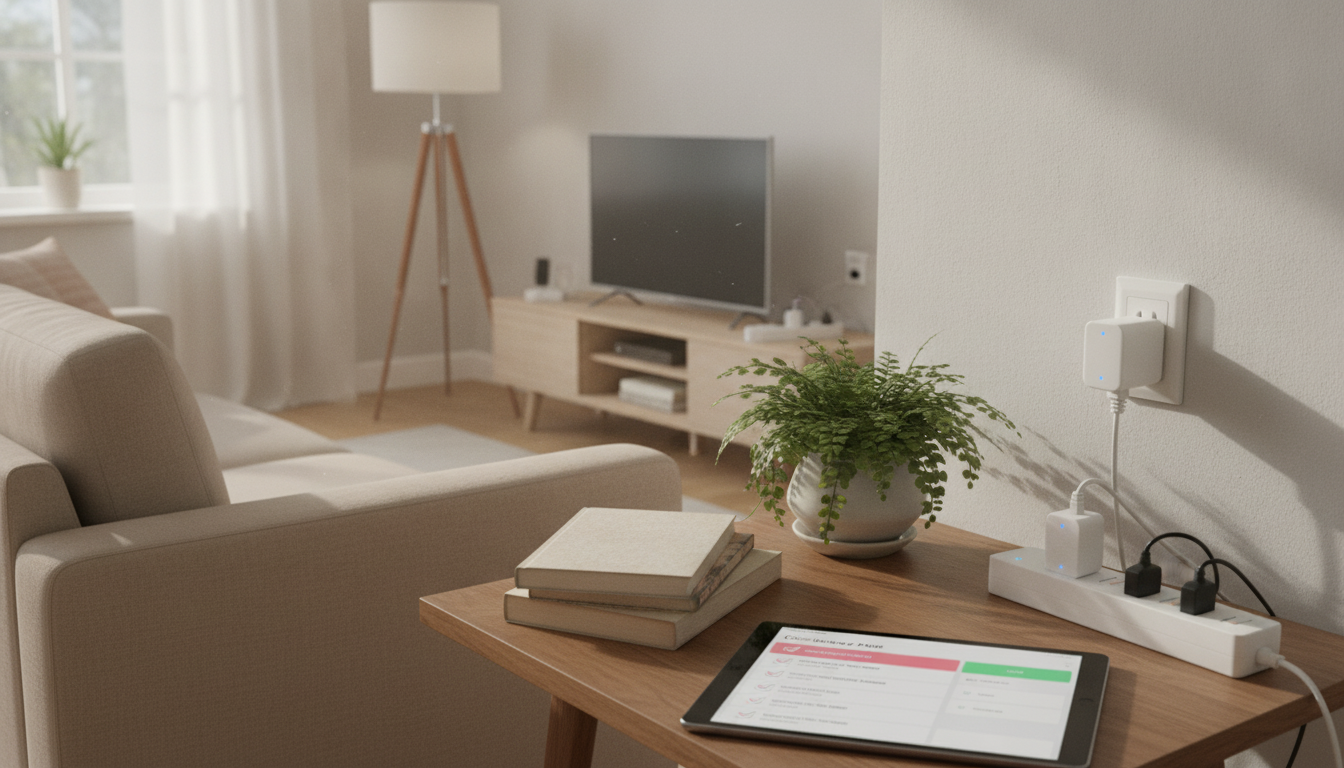
Smart plugs can cut wasted electricity by controlling “always-on” devices, automating schedules, and revealing which appliances quietly rack up costs. This checklist-style guide focuses on quick wins first, then builds a simple routine to keep savings consistent without turning the home into a complicated tech project.
Smart plugs shine in one specific area: stopping electricity use that serves no purpose. Many devices sip power 24/7 in standby mode—often called “vampire” or “standby” power—because they’re waiting for a remote signal, maintaining a display, or staying warm for faster startup. A smart plug can fully shut those devices off when you’re not using them.
They also reduce accidental all-day runtime. Think space fans left running, a dehumidifier that never stops, chargers that live on the outlet, or an entertainment setup that quietly stays partially active. With schedules and simple routines, “off” becomes automatic instead of a daily chore.
Energy-monitoring smart plugs add a second advantage: data. You can see standby watts, daily kWh, and usage spikes so you know what to target first. Non-monitoring plugs still help by making shutoff reliable and repeatable.
What smart plugs don’t do: they won’t make an inefficient appliance efficient. The savings come from eliminating unnecessary runtime and idle draw, not from magically improving a device’s performance. Results vary based on electricity rates, device type, and how consistently schedules and rules are applied. For background on standby loads and why they matter, see the U.S. Department of Energy’s overview of standby power.
Start with plug-in electronics that spend lots of time idle: TV/streaming box, game console, soundbar, printer, coffee maker, phone/laptop chargers, aquarium gear, air purifier, desk setup, and holiday/ambient lighting.
Create two quick buckets: “should never run unattended” vs. “safe to schedule.” Lights are great. Many space heaters are not. When in doubt, keep the device manual-only and use the smart plug for monitoring (if supported) rather than automation.
Make a Weekday schedule (work/school pattern) and a Weekend schedule (later morning, earlier evening). Keeping it to two avoids constant tweaking.
Entertainment centers and office gear are prime targets. Schedule them off overnight. Keep essential networking gear (router/modem) off smart plugs so your internet and smart home controls remain stable.
Build one “Goodnight” routine (turns off selected plugs) and one “Away” routine (turns off non-essential plugs). If voice control is available, use short names that everyone will remember.
TVs, streaming devices, consoles, and speakers can draw power even when “off.” Put the whole entertainment cluster on smart plug control (or a smart power strip if you have one) and schedule it off overnight and during work/school hours. If your streaming box needs time for updates, add a short daily “on” window.
Office setups often waste power because they’re left “ready” all day: monitors, docking stations, speakers, and printers. A single smart plug (or strip) with an auto-off after business hours can cut that idle time dramatically. If you have a dedicated gaming or productivity corner, consider pairing your schedule with your real routine—on during the hours you sit down, off the rest.
Seasonal presets keep things effortless: summer (fans/air purifiers timed), winter (humidifier timed), holiday lighting (sunset-to-bedtime). ENERGY STAR’s home guidance includes additional practical ways to reduce everyday energy use: ENERGY STAR — Home Tips to Save Energy.
| Device | Typical waste pattern | Smart plug action | Notes |
|---|---|---|---|
| TV + streaming box | Standby draw 24/7 | Schedule off overnight + work hours | Keep updates in mind; allow a short daily on window if needed |
| Game console | High standby for instant-on | Hard-off during sleep/away | Use console settings to reduce background activity |
| Printer | Idle draw all day | On only during office hours | Turn on manually for rare printing if preferred |
| Chargers (phone/laptop) | Left plugged in continuously | Auto-off after 1–3 hours | Reduces trickle/standby; also reduces heat |
| Holiday/ambient lighting | Long runtime by habit | Sunset-to-bedtime schedule | Big convenience win; consistent savings |
Yes—mostly by eliminating standby power and preventing unnecessary runtime, like entertainment centers that draw power all night or office gear left on all day. How much you save depends on your devices, your schedules, and your local electricity rate.
Avoid high-risk or critical loads such as many space heaters (unless explicitly supported), cooking appliances, medical equipment, and refrigerators/freezers. Always confirm the smart plug’s watt/amp rating and follow manufacturer safety guidance.
They’re worth it when you want to prioritize and verify savings, since you can see real kWh usage and standby watts. Basic smart plugs still work well for schedule-based shutdowns, but monitoring is especially useful for dehumidifiers, air purifiers, entertainment setups, and office stations.









Leave a comment